5 Tezzera Features that Only a Designer Would Think Of
Have you ever been using a CRM and thought, "Who designed this??" Because I have. As a brand and web designer, I'll admit I've been pretty judgmental about the tools I've used over the years. Clunky interfaces, cluttered dashboards, dated layouts — my designer brain notices all of it, and it makes it really hard to enjoy showing up to work in a tool every single day.
So when I started building Tezzera, I got to do something I'd always wanted to do: pull apart every aspect of what a CRM is and ask, "How would a designer actually want this to work?" Not just functionally, but visually. Not just useful, but something you actually enjoy opening.
There are a lot of features in Tezzera that you'd find in any decent CRM — invoicing, scheduling, contracts, project management. But then there are the features that make designers stop and go, "wait, really?" The ones that exist because a designer built this thing and couldn't stop thinking about the details that everyone else seemed fine ignoring.
Here are five of my favorites.
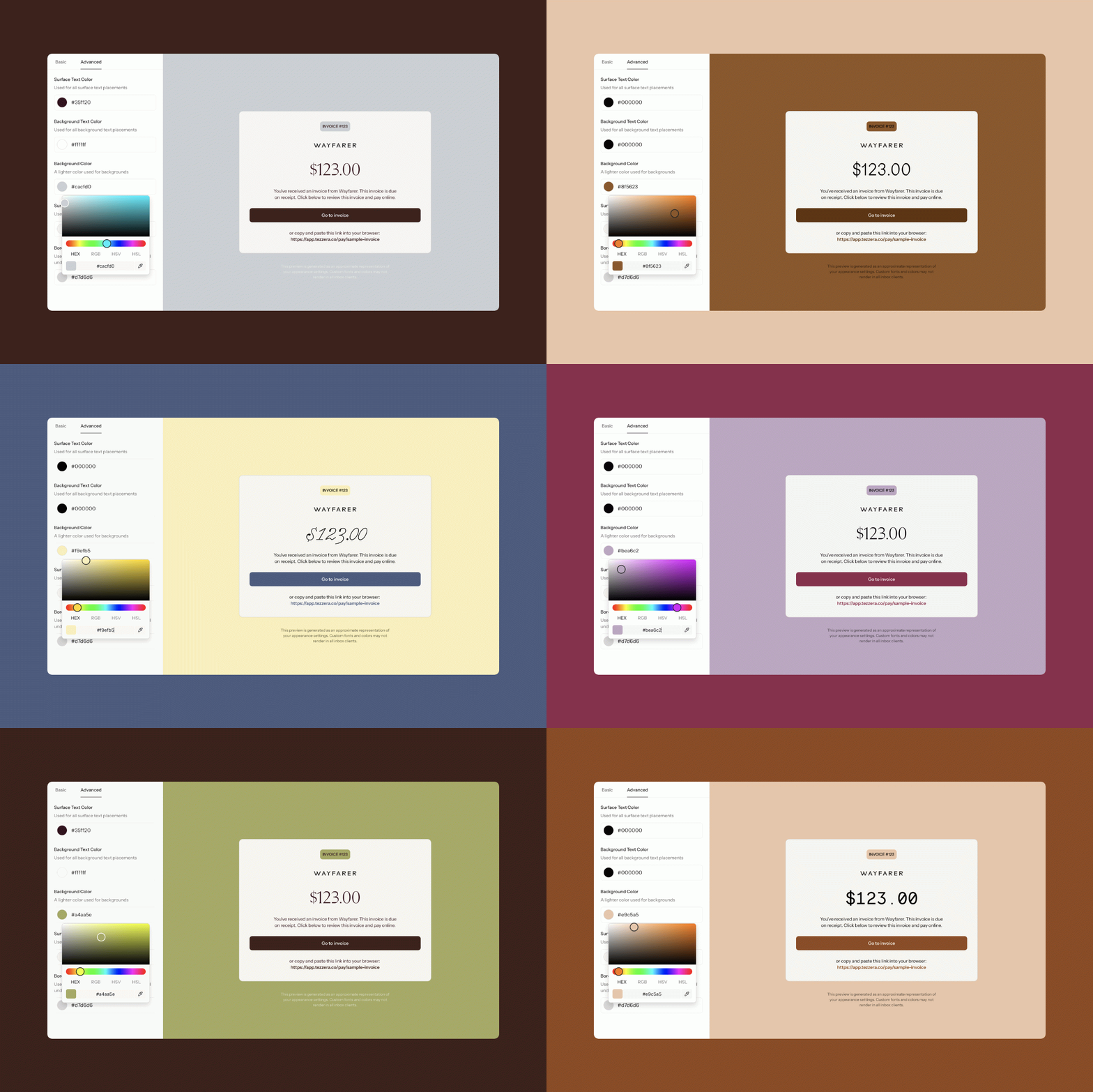
01 / Full brand appearance settings — not just one accent color
Here's something that used to drive me quietly insane about other platforms: you get to pick one color. One. And they apply it to a button here, a header there, and call it 'branding.' And that’s just not enough for designers.
In Tezzera, your brand appearance settings are built to actually reflect how designers think about their visual identity. You can upload up to seven brand colors and they get applied across your forms, your invoices, your client portal, all the places your clients actually see. You can also upload your own custom fonts — the exact typefaces from your brand, not a dropdown of web-safe options. And if your fonts are licensed through Adobe Typekit, you can embed them directly with a simple link.
The goal was simple: when a client opens something from you inside Tezzera, it should look like it came from you. Not from whatever platform you happen to be using.
02 / Loom videos embedded directly in tasks and feedback forms
Designers love Loom! If you've been doing client work for more than five minutes, you've probably recorded a Loom walkthrough of a presentation, a quick explainer about a revision, or a screen recording of a website in action.
The problem has always been what happens after you hit record. You get a link. You paste it somewhere. Your client clicks it, a new tab opens, they watch it, they close it, and now they have to go find where to leave their feedback. It works. But it's clunky.
In Tezzera, you can embed a Loom video directly inside a task. When your client clicks to watch, it opens in a pop-up right there inside the platform — no new tab, no losing their place, no friction. And if you want to include a Loom walkthrough inside a feedback form, you can do that too. The whole experience — watch the presentation, leave feedback — can happen in one place without your client ever having to navigate away.
It's a small thing that makes the client experience feel a lot more polished.
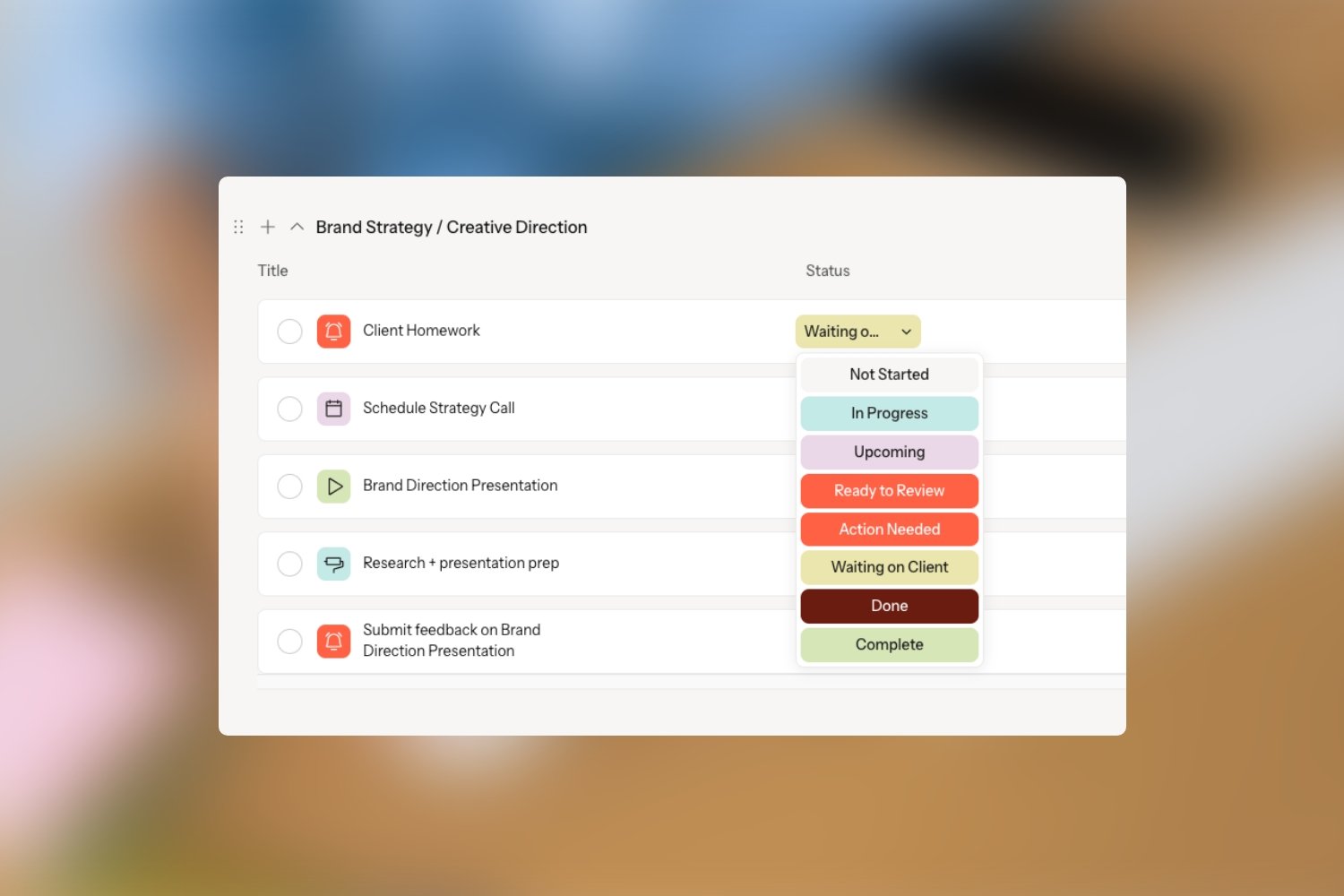
03 / Task colors and icons for visual organization
A project manager building a CRM might never think to add this. But a designer absolutely would.
Every task in Tezzera can have a color and icon assigned to it. Which means instead of scanning through a long task list reading every single line, you can quickly see at a glance what kind of task you're looking at. All your presentation tasks can have one color. Tasks where the client needs to take action — submit copy, book a call, share access to something — can have a different color so they stand out. Internal to-dos can have their own color too. And the same goes for task statuses! You can add custom statuses with their assigned colors to visually organize statuses as well.
For designers who think in visuals, this feature makes a genuinely meaningful difference in how easy a project is to manage day to day.
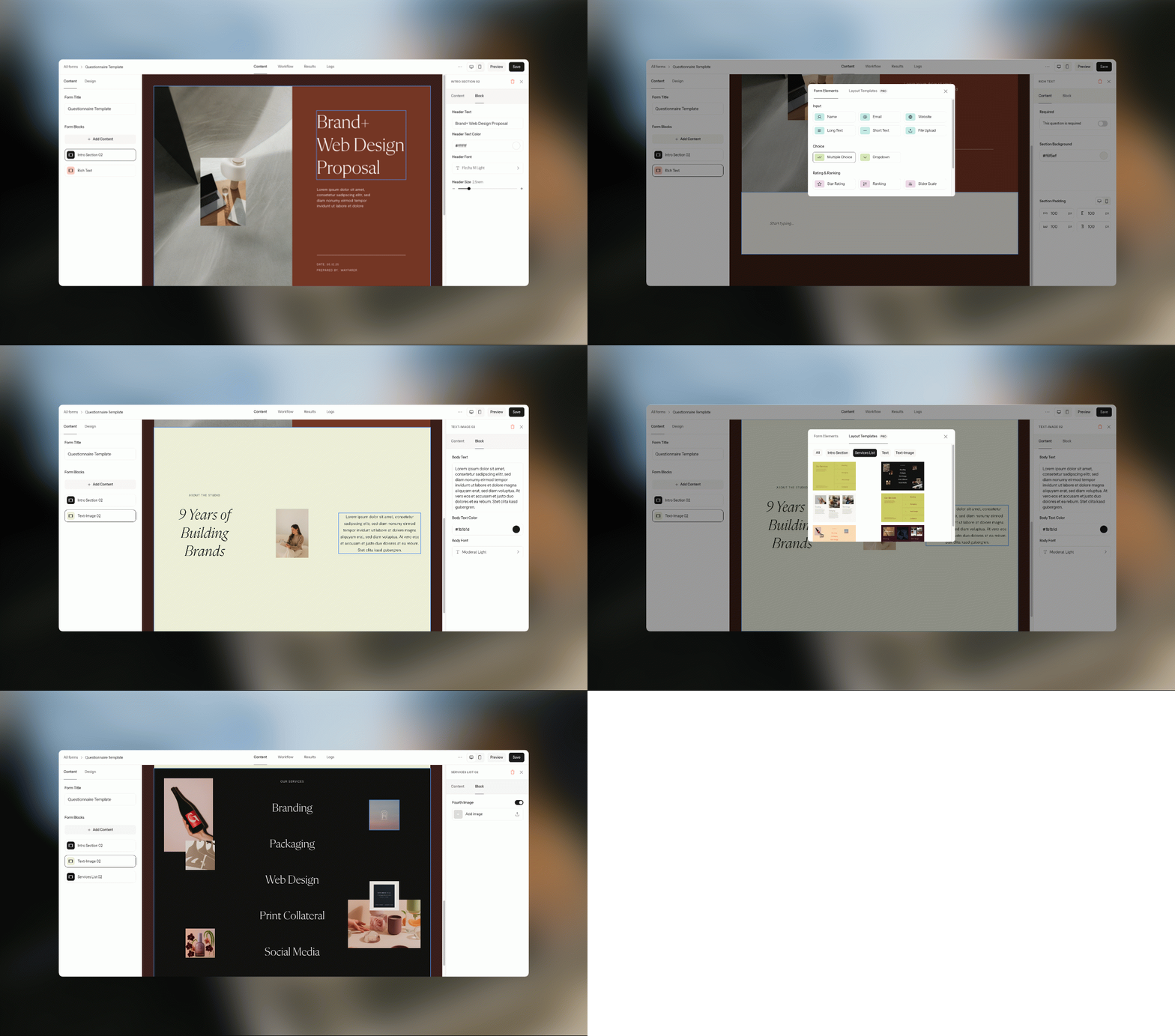
04 / A form builder that actually looks good
Most form builders give you a text field, some basic question fields, maybe a two-column layout block, and call it a day. The result is a feedback form that looks like something from 2009 — functional, technically, but not exactly the impression you want to leave with a client.
And if you want to really customize how the form looks, your best option is a CSS block so you can edit things with code. But that solution doesn’t work well for a few reasons:
Code is time-consuming.
It makes future edits more complicated. It’s not as simple as swapping out an image or some copy. Instead, you’re searching through messy code to find what you need to edit and that’s never fun.
Not every designer knows how (or wants) to code.
It limits you from having team members edit your proposals and feedback forms if they don’t know how to code.
We knew that we needed a form builder that provided way more customization features without the code. So that’s what we built!
Tezzera's form builder comes with beautifully designed layout templates that you can mix and match to build forms that look like they belong in your brand. The layouts are fully customizable — swap out the images, change the fonts to your brand fonts, adjust the colors to match your palette. Every form can feel like an extension of your visual identity rather than an afterthought.
And when you've built a feedback form you're happy with, you can attach it directly to a task so that it's right there waiting for your client at exactly the right moment in the project. No separate links, no 'Oh by the way, could you also fill this out?' follow-up emails. It's just part of the flow.

05. Hidden tasks — internal reminders that your clients never see
You know those tasks that are just for you? The ones like: 'Triple-check mockups before sending.' 'Save final logo files in all formats.' 'Remind client to share website copy (again).' Tasks like those are the internal reminders that keep your process tight — but they aren’t really things that your client needs to see.
Before Tezzera, a lot of designers handled this by creating two completely separate projects for the same job. One for the client-facing tasks, one for the internal stuff. Which meant constantly switching between boards, duplicating context, and managing two places instead of one.
In Tezzera, you can mark any task as internal and it becomes invisible to your client. Everything lives in the same project — your client tasks, your internal reminders, your behind-the-scenes checklist — but your clients only ever see what's meant for them. It keeps your process organized without making your clients feel like they're accidentally peeking backstage.
It sounds simple. It kind of is. But it's the kind of thing that only comes from someone who has actually managed client projects and felt that specific frustration firsthand.
Built by a designer, for designers.
None of these features exist by accident. They exist because I spent years doing this work and kept running into the same small frustrations that nobody seemed to be solving. Tezzera is my attempt to build the platform I always wished existed. And honestly, I think we're getting pretty close.
If you're on the waitlist, we're almost ready for you. More details coming very soon! 👀